









Hi-Tech Crime Enquiry Cell
Activities of Hi-Tech Crime Enquiry Cell
- Assistance to the Investigating Agencies
- Enquiry of petitions received directly
- Mobile Phone Trace
- Digital Evidence Collection
- Storage Media Analysis
- Call Data Analysis
- Handling various Website and Internet related Crimes
- Conducting Awareness Programs among the public including educational institutions
Type of Crimes Reported and Handled by Hi-Tech Crime Enquiry Cell
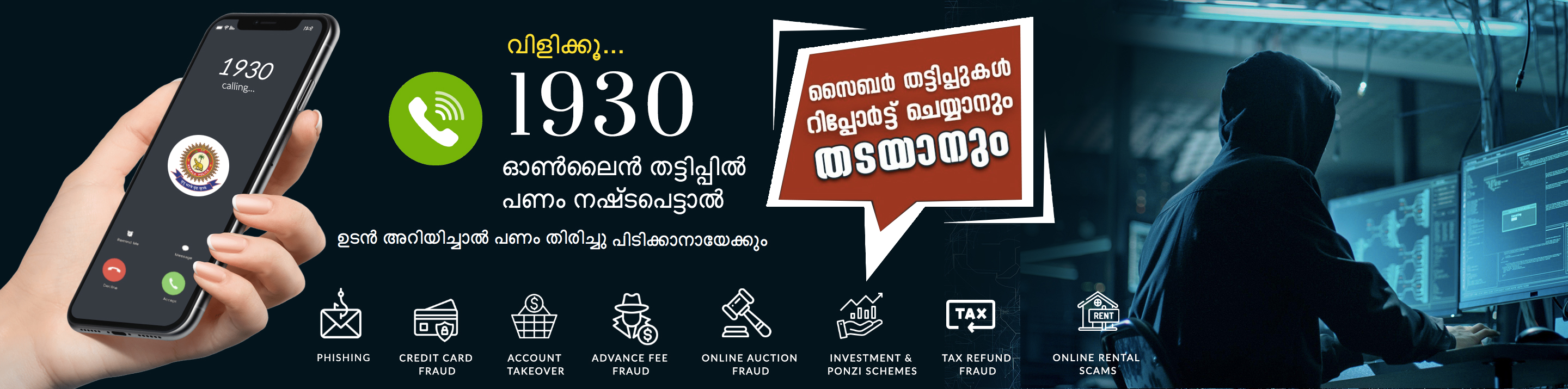
- Financial Crimes involving cheating, credit card frauds, money laundering, etc.
- Cyber Pornography involving production and distribution of pornographic material.
- Sale of illegal articles such as narcotics, weapons, wild life etc.
- Intellectual Property Crimes such as theft of computer source code, software piracy, copyright infringement, trademark violations, etc.
- Harassments such as Cyber Stalking, cyber defamation, indecent and abusing mails, etc.
- Deployment of viruses, Trojans and Worms
- Cyber Attacks and Cyber Terrorism
Hacking of Computers/Netwoks, Abuse/Defamation/Impersonation though social networks (Orkut, Facebook, etc.), Nigerian Scams, Lottery Scam, Job Fraud, Pornography and Child Pornography, Breach of confidentiality / Privacy, Document Forgery, Morphing, Downloading video, music, any other material infringing Copyright Act, Violation of Intellectual Property Rights, Introducing Virus, Damaging or Disruption the Computer/Network/Data/Program, Data theft, Source Code Theft, Threatening Phone calls, Abusive calls, Involvement of mobile phones in crimes like murder, abduction, robbery etc, Loss of Mobile phones, sharing of pornographic material, invading other people’s privacy by taking photos or video without their knowledge, Conversation tapping, Etc.
Head wise Statistics of Hi-Tech Crime Enquiry Cell 2007-2011
Sl.No |
Subject |
2007 |
2008 |
2009 |
2010 |
2011 |
1 |
Email Abuse |
10 |
22 |
42 |
65 |
71 |
2 |
Email Threatening |
13 |
5 |
6 |
4 |
3 |
3 |
Hacking |
8 |
27 |
51 |
107 |
73 |
4 |
Mobile Phone Loss / Theft |
303 |
976 |
2281 |
2574 |
1857 |
5 |
Online Cheating / Scams |
13 |
18 |
37 |
28 |
46 |
6 |
Abuse through Orkut, Facebook etc. |
25 |
39 |
39 |
39 |
94 |
7 |
Phone Abuse |
105 |
217 |
611 |
1005 |
936 |
8 |
Phone Information / CDR Analysis |
97 |
545 |
670 |
556 |
532 |
9 |
Website Related |
10 |
33 |
51 |
62 |
86 |
TOTAL |
584 |
1882 |
3788 |
4440 |
3698 |
|
Statewide Report of Cyber Cases 2009-2011
Sl.No. |
DISTRICT / UNIT |
2009 |
2010 |
2011 |
1 |
TRIVANDRUM CITY |
4913 |
4818 |
2428 |
2 |
TRIVANDRUM RURAL |
1588 |
2094 |
2523 |
3 |
KOLLAM CITY |
1508 |
1597 |
2055 |
4 |
KOLLAM RURAL |
- |
- |
53 |
5 |
ALAPUZHA |
52 |
5668 |
6470 |
6 |
PATHANAMTHITTA |
1299 |
1781 |
3032 |
7 |
KOTTAYAM |
2071 |
4485 |
6401 |
8 |
IDUKKI |
1142 |
1006 |
1910 |
9 |
KOCHI CITY |
4401 |
10542 |
9769 |
10 |
ERNAKULAM RURAL |
1530 |
5531 |
5511 |
11 |
THRISSUR CITY |
3944 |
5488 |
1052 |
12 |
THRISSUR RURAL |
- |
- |
4395 |
13 |
MALAPPUARAM |
2970 |
5133 |
4376 |
14 |
PALAKKAD |
1507 |
4441 |
5074 |
15 |
KOZHIKODE CITY |
2468 |
4976 |
2791 |
16 |
KOZHIKODE RURAL |
0 |
2330 |
2751 |
17 |
WAYANAD |
936 |
1200 |
2000 |
18 |
KANNUR |
2533 |
3371 |
5501 |
19 |
KASARAGOD |
326 |
1069 |
1815 |
20 |
HI-TECH CRIME ENQUIRY CELL |
3788 |
4440 |
3698 |
TOTAL |
36976 |
69970 |
73605 |
|
Internet Guidelines for Children
The objective of the guidelines to the children is not only for imposing restrictions or limiting to their access for restricted sites but also to help children in understanding the necessity for the rules to access the internet so that they can take the responsibility for their own actions and to develop their own judgment on their actions and consequences thereof. Some useful guidelines for internet users:
- Agree what types of sites are permissible (or safe) to access
- Don't reveal your password to others
- Don’t open e-mails from people whom you don’t know
- Others privacy and safety are equally important as ours
- Don’t trust anyone online while using chat, e-mail or other online services.
- Don't give out personal information, photos, family details online
- Uncomfortable mails may be reported to parents or authorities
- Avoid face-to-face meetings with online friends
- Be aware of copyright issues while using the online information.
- Don’t click links or URLs that look suspicious
- Avoid downloading free softwares which may contain viruses
Common Characteristics of Phishing Scam Emails
- Unsolicited requests for sensitive information
- Content appears genuine
- Disguised hyperlinks and sender address
- Email consists of a clickable image
- Generic Greetings
- Use various ruses to entice recipients to click
- The customer's account details need to be updated due to a software or security upgrade.
- The customer's account may be terminated if account details are not provided within a specified time frame.
- Suspect or fraudulent activity involving the user's account has been detected and the user must therefore provide information urgently.
- Routine or random security procedures require that the user verify his or her account by providing the requested information.
What to do if you receive a Suspected Phishing Scam?
- DO NOT click on any links in the scam email.
- DO NOT supply any personal information of any kind as a result of the email
- DO NOT reply to the email or attempt to contact the senders in any way.
- DO NOT supply any information on the bogus website that may appear in your browser if you have clicked a link in the email.
- DO NOT open any attachments that arrive with the email
- REPORT the phishing scam – confirm with the organization for authenticity of the email received.
- DELETE the email as soon as possible.
General Scam Indicators
Be wary of unsolicited emails that:- Promise you money, jobs or prizes
- Ask for donations
- Propose lucrative business deals
- Ask you to provide sensitive personal information
- Ask you to follow a link to a website and log on to an account.
Do not’s for Mobile Users
- Do not give your mobile phone numbers while chatting over the internet to avoid stalking. And do not lend it either.
- Do not use or buy a used SIM card. Make sure your SIM card is bought and registered under your name with your permanent address,
- Do not lend your mobile phone, and try to password protect the phone if the facility is available in the handset.
- Do not use the mobile for obscene/pornographic images, videos or SMS and MMS.
- Do not assume that any crime done with your mobile is undetectable.
- Take care when using your phone in public places – do not flash it around
- Avoid leaving your phone unattended - treat it like you would treat your wallet or purse
- Make a note of the mobile's serial number - you can find it by typing *#06# on your phone. The serial number can help to track the mobile if it's ever stolen / lost.
- Call the service provider immediately, in case your mobile phone is stolen. They will block use of the stolen SIM card in their network.
- Report it to the police as soon as the crime occurs.
Cell Phone Etiquettes
There are certain things people just shouldn't do with cell phones.- Do not talk on your cell phone while driving.
- Do not talk on your cell phone in classrooms. (You’re disturbing others too!)
- Turn your cell phone to silent/vibrate mode in Places of Worship, Funerals, Job Interviews, Banks and places where you are requested to do so.
- Turn off your cell phone in flights.
- Turn off the cell phones, where there is any kind of such direction from the authorities.
- Do not take photos / videos using cell phones without consent of others.
- Do not send, transfer or store pornographic contents using cell phones.
- Turn your cell phone off when you are at the movies or at least don't check the messages – people around you will be disturbed by the screen light up.
- Never take a personal mobile call during a business meeting. This includes interviews and meetings with co-workers or subordinates.
- Maintain at least a 10-foot zone from anyone while talking.
- Never talk in elevators, libraries, museums, restaurants, cemeteries, theaters, dentist or doctor waiting rooms, places of worship, auditoriums or other enclosed public spaces, such as hospital emergency rooms or buses.
- And don't have any emotional conversations in public, ever.
- Don't use loud and annoying ring tones that destroy concentration and eardrums.
- Never "multi-task" by making calls while shopping, banking, waiting in line or conducting other personal business.
- Help the Law Enforcement Agencies to serve you better.
Public Awareness Programs
Hi-Tech Crime Enquiry Cell is conducting awareness classes on Cyber Crimes among Public/Educational Insitututions those who require for the same. The program includes present scenario of cyber related offences, use and misuse of Information Communication Technology, offences and punishments, Do’s and Don’ts to be followed by the General Public/Students etc.